
Sierra Leone's Most-Loved Payments App

Send money to family and friends, Buy Goods and Services from merchants nationwide, Cash In and Cash Out at 100’s of Locations, and do a lot more.


Pay anyone
directly from your Wallet.

Pay anyone, everywhere. Make contactless & secure payments in-stores using Afro Mobile Money Wallet. Plus, send & receive money from anyone.

Learn More

How it works

Fast, Simple and Secure Wallet Payments

Download our App

Register and
Update profile

Add Balance

Scan & Pay

Download Our App

The Most Reliable Mobile Wallet App in the Country.
Download now for free!

Frequently asked questions

Different layouts and styles for team sections.

How does Afro Mobile Money app work?

Setting up the Afro Mobile Money app is simple and fast:

  • Download the Afro Mobile Money app
  • Select Sign Up
  • Register with you Telephone Number (for example – +23212345678)
  • Verify your account & set up a PIN and Biometric Fingerprint/Face ID

What is a PIN?

PIN is a 4 digit number which needs to be set by you while creating your account, that you can use to easily log in to the Afro Mobile Money App. Please don't share your PIN with anyone.

How to check account balance?

Checking your account balance in the Afro Mobile Money app is extremely simple:

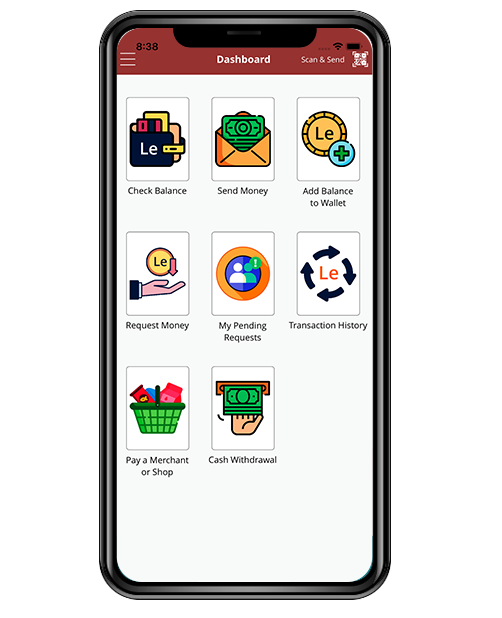
  • Click on ‘Check balance’ button on the Dashboard and it will Display your wallet Balance.

How to send money to Family and Friends?

Money transfer through the Afro Mobile Money app is extremely easy:

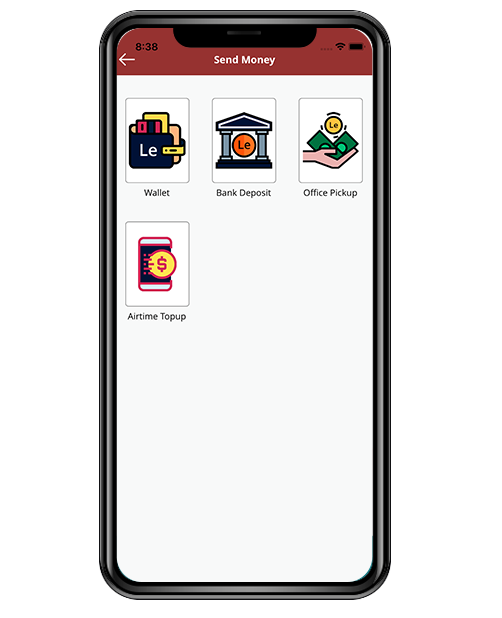
  • Click on the Send Money button on the main Dashboard
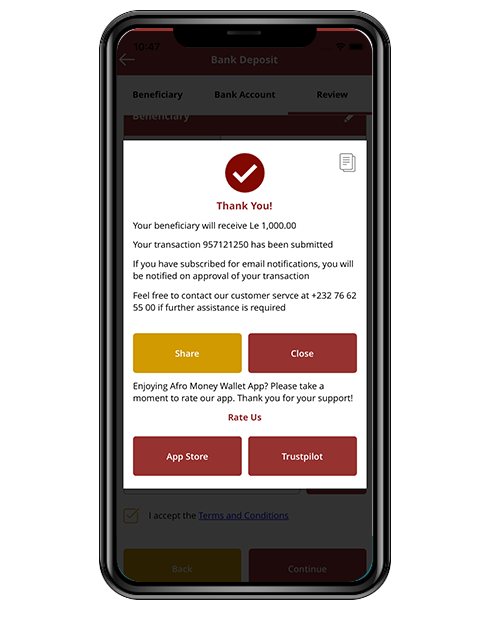
  • You will get the option to choose from Wallet to wallet, Wallet to Bank Account, Wallet to Office Pickup and Wallet to Airtime topup.
  • After selection of your option, allow the app to access your contact list
  • Select the receiver’s unique Telephone number
  • Enter the amount of money you want to send
  • Confirm mobile payment

How to ask for money?

  • Click on the Request Money button on the main Dashboard
  • Select who you want to receive the money from.
  • Enter the amount you want to receive
  • After confirming, the contact who you sent the request to will receive a notification. Once they complete the request, you will receive the requested funds.

How to Pay a merchant for goods and services?

  • Select the Pay a Merchant button on the Main Dashboard
  • Select Pay with QR or Pay with Phone Number
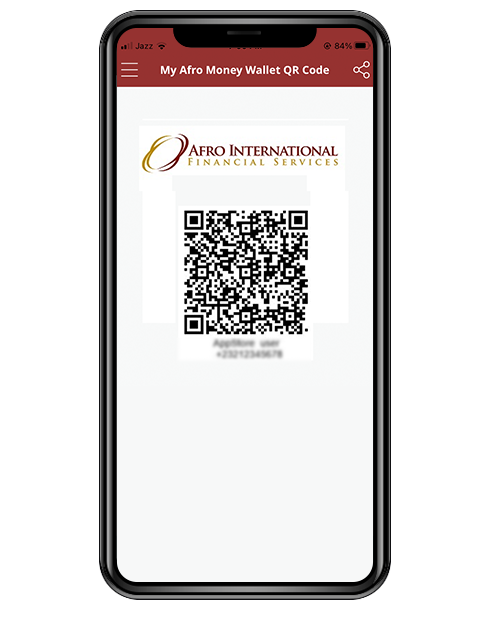
  • After Scanning QR Code, the merchants details will be automatically added
  • Enter the amount you wish to pay them merchant

How to Add account balance?

Adding account balance in the Afro Mobile Money app is extremely simple:

  • Click on ‘Add balance’ button on the Dashboard.
  • Select the method of Adding Balance ( Afro Location, Voucher or Coupon)
  • Afro Location – you can select the amount you wish to load and a location – a Location Request number will be generated which you will need to provide to the location
  • Once confirmed, you will provide the cash to the Location and the location will add the Wallet balance to your account.
  • Voucher – You can ask the location to create a prepaid voucher for you which you can then use to add balance to your wallet at a later time
  • Coupon – This can be used when Afro International run promotions – A coupon code will be provided and can be used to add balance to your Wallet.

Can't find an answer? Email us

Scan & Pay at any store or Business Using Afro Mobile Money QR

Make easy cashless payments by using Afro Mobile Money QR codes with your Afro Mobile Money App anytime & anywhere.

Your money stays safe.

Afro Mobile Money protects your money with the best-in-class security systems that help minimize fraud